Chart of Accounts
Egypt-style 4-digit chart: starter set, Excel, and tree view.
-
Step 1
Open Chart of Accounts
Accounting → Chart of Accounts. Types and code ranges: Asset 1000–1999, Liability 2000–2999, Equity 3000–3999, Revenue 4000–4999, Expense 5000–8999.
Screenshots show the English workspace UI.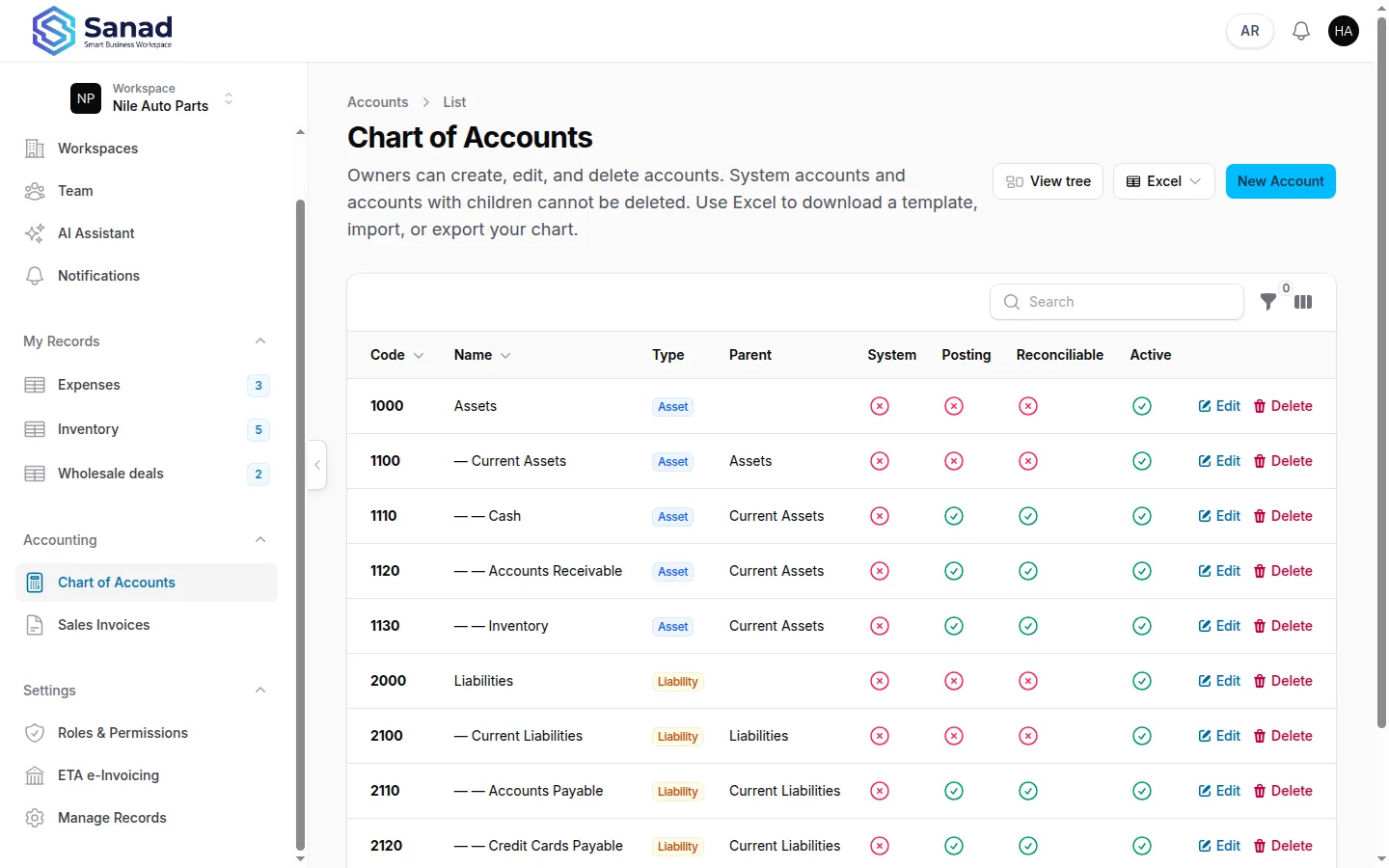
-
Step 2
Initialize starter COA
Initialize starter COA loads about 22 Egypt-aligned system accounts. Undo starter COA removes that set if you have not customized it.
Screenshots show the English workspace UI.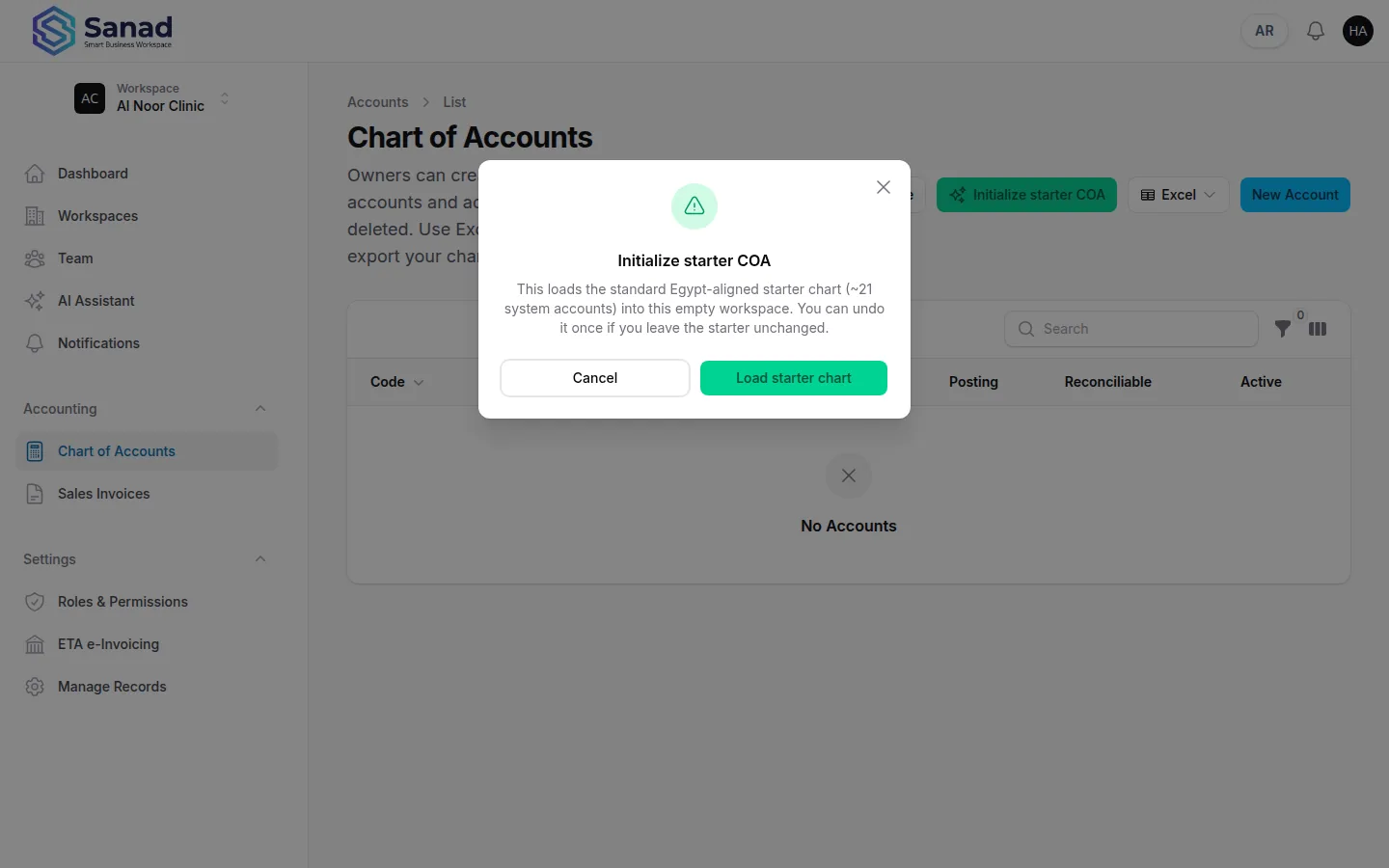
-
Step 3
Create, edit, or Excel
Add accounts (type, code, name, parent, posting, reconcilable, active). Or download template, export, and import Excel.
Screenshots show the English workspace UI.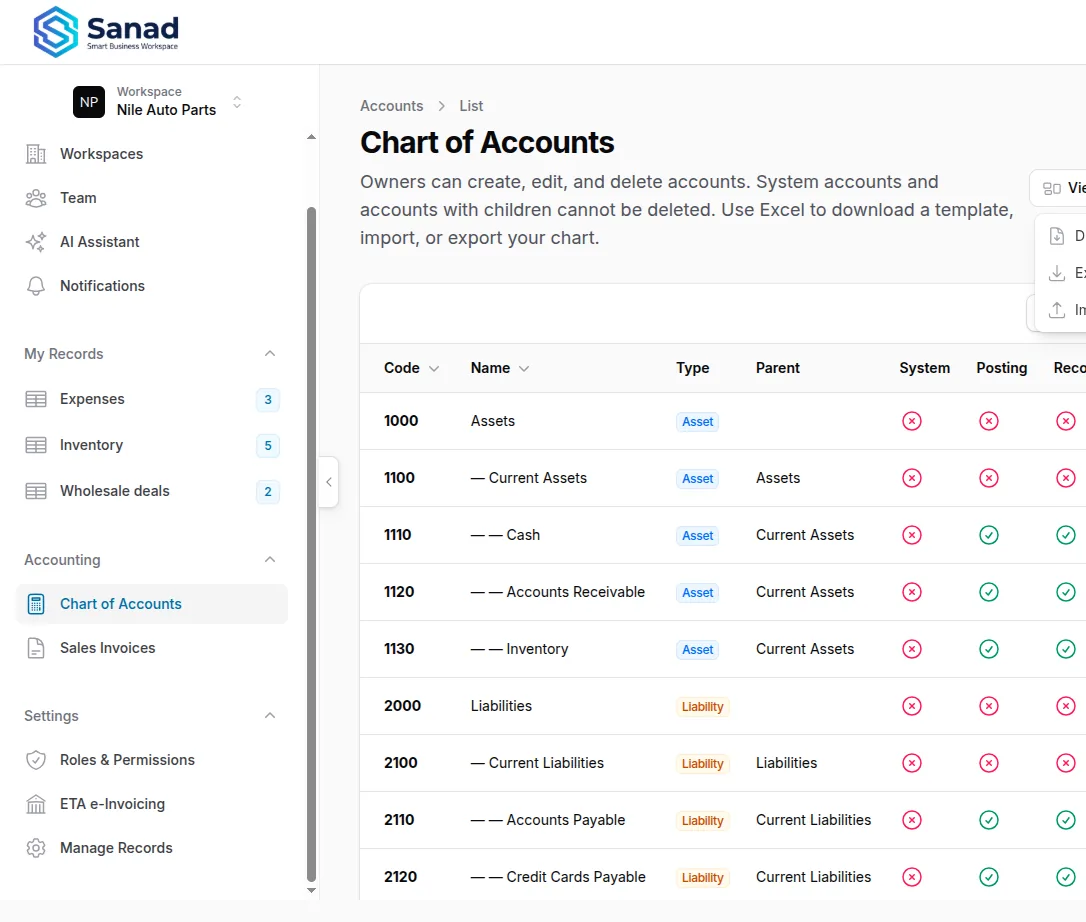
-
Step 4
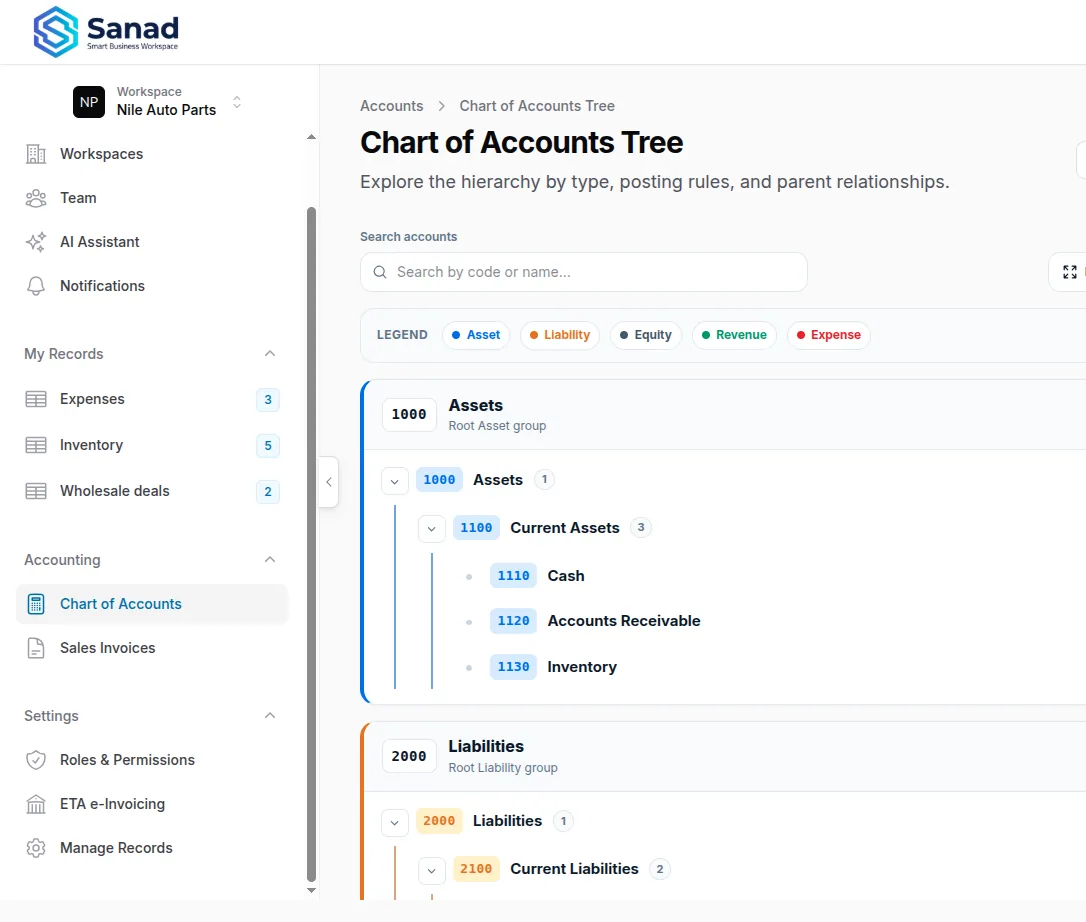
View tree
View tree shows the hierarchy. Download schema exports the tree. You cannot delete system accounts or accounts that still have children.
Screenshots show the English workspace UI.