Plans and billing
What each plan unlocks, how to request a change, and what Pending payment means.
-
Step 1
What plans control
Price, how many workspaces, custom lists per workspace, members, AI credits, and whether AI, Chart of Accounts, and ETA / sales invoices are allowed. Unlimited entries inside each list. Pending invitations count as members. AI credits do not roll over. Sales invoices require the ETA module on the plan.
Screenshots show the English workspace UI.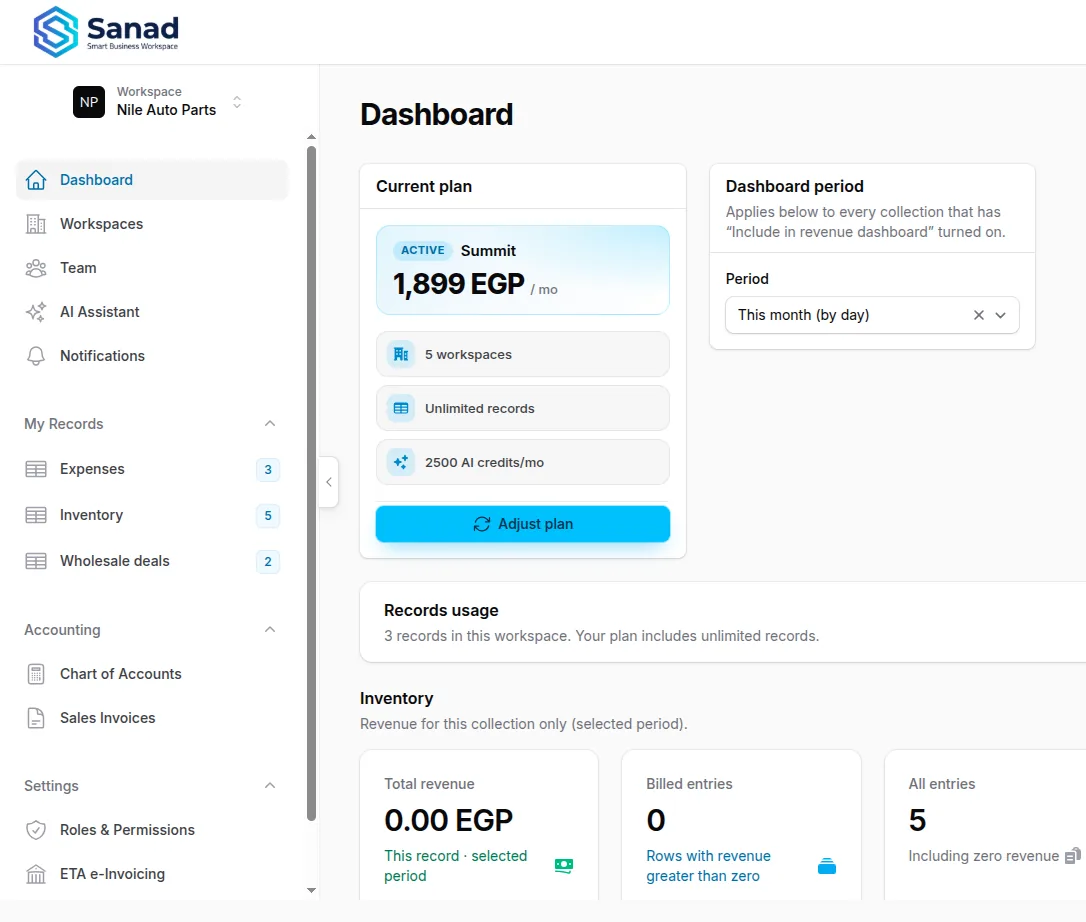
-
Step 2
Request a plan change
Dashboard Current plan → Adjust plan, or Upgrade plan on workspace settings. A Sanad operator accepts or rejects. This is offline payment, not a live card charge in the app.
Screenshots show the English workspace UI.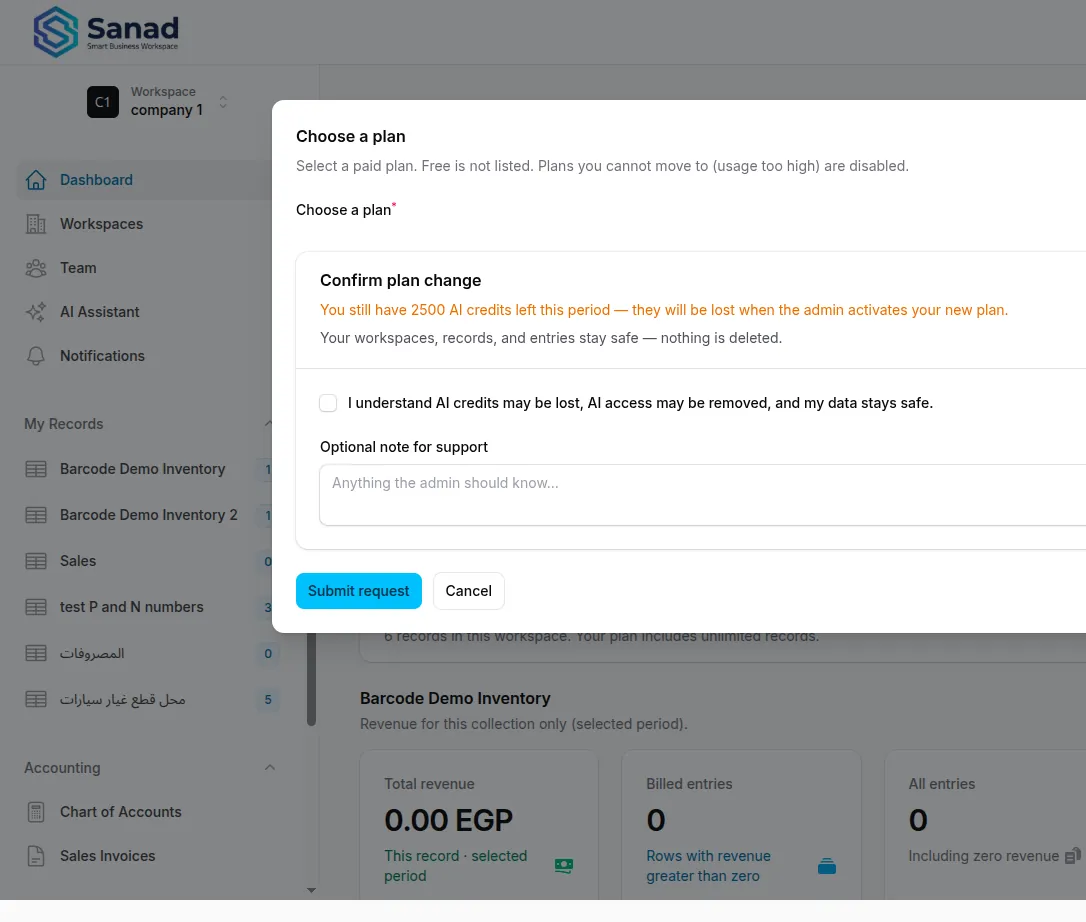
-
Step 3
Pending or inactive subscription
Until a paid subscription is Active, non-operators see Payment confirmation required or are blocked. Spark (free) does not include AI, Chart of Accounts, or ETA. Growth AI and Summit do.
Screenshots show the English workspace UI.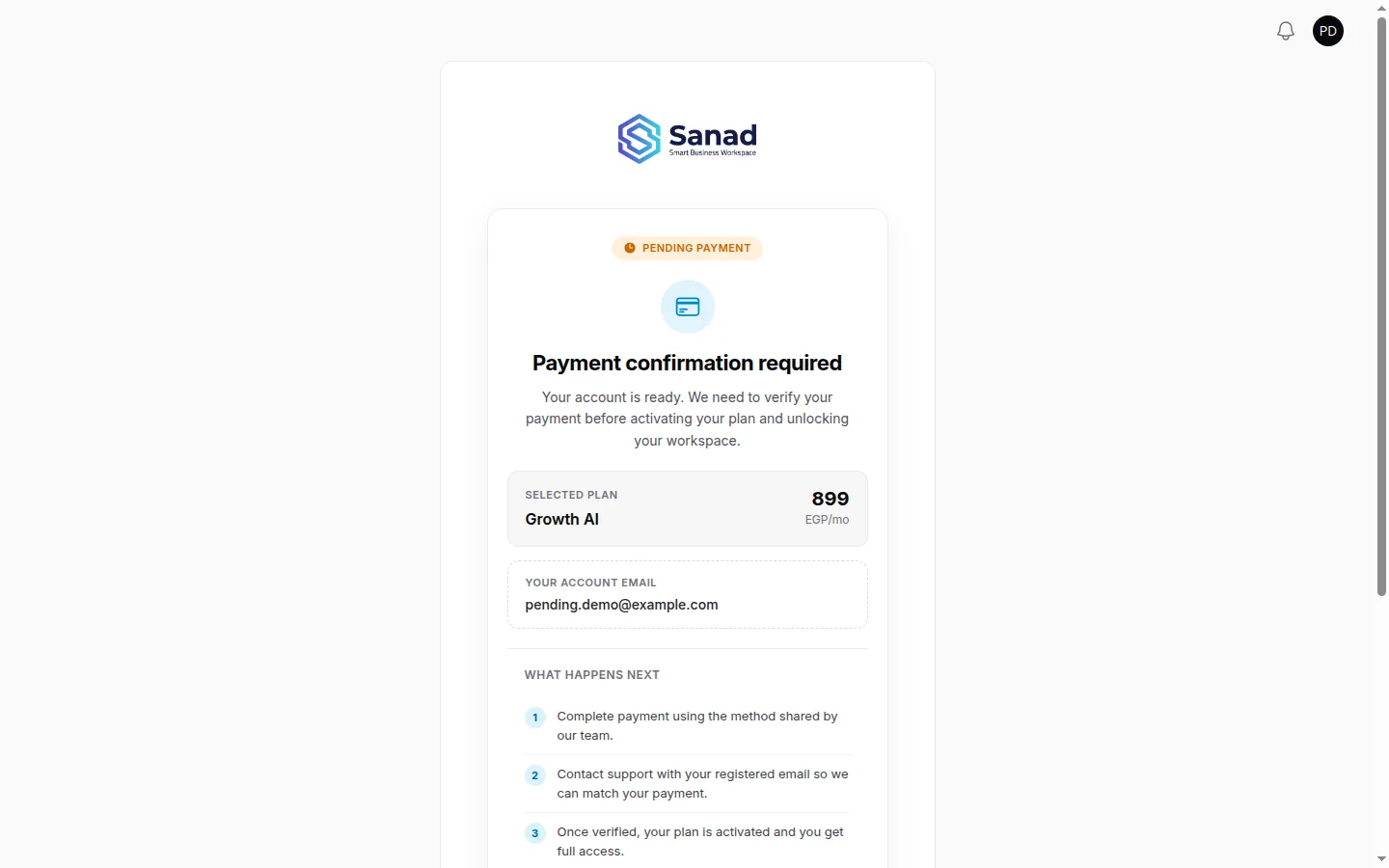
Related articles
Create an account and first hour
Sign up, open the workspace as Owner, then fill the Business / invoice profile. Team, lists, and invoices have their own guides.
Workspaces
Switch, create, and configure company spaces you own — including the invoice business profile.
Home dashboard and revenue
See KPIs, charts, and plan usage on home for lists with Include in revenue dashboard turned on.