Design a record list
Create a custom list: pick a template or start blank, set the name and dashboard options, add columns, then save. Daily entry is in Records.
-
Step 1
Open Manage Records
Records → Manage Records opens All Records — every list in this workspace. Create starts a new list. Staff enter rows later under Records, not here.
Screenshots show the English workspace UI.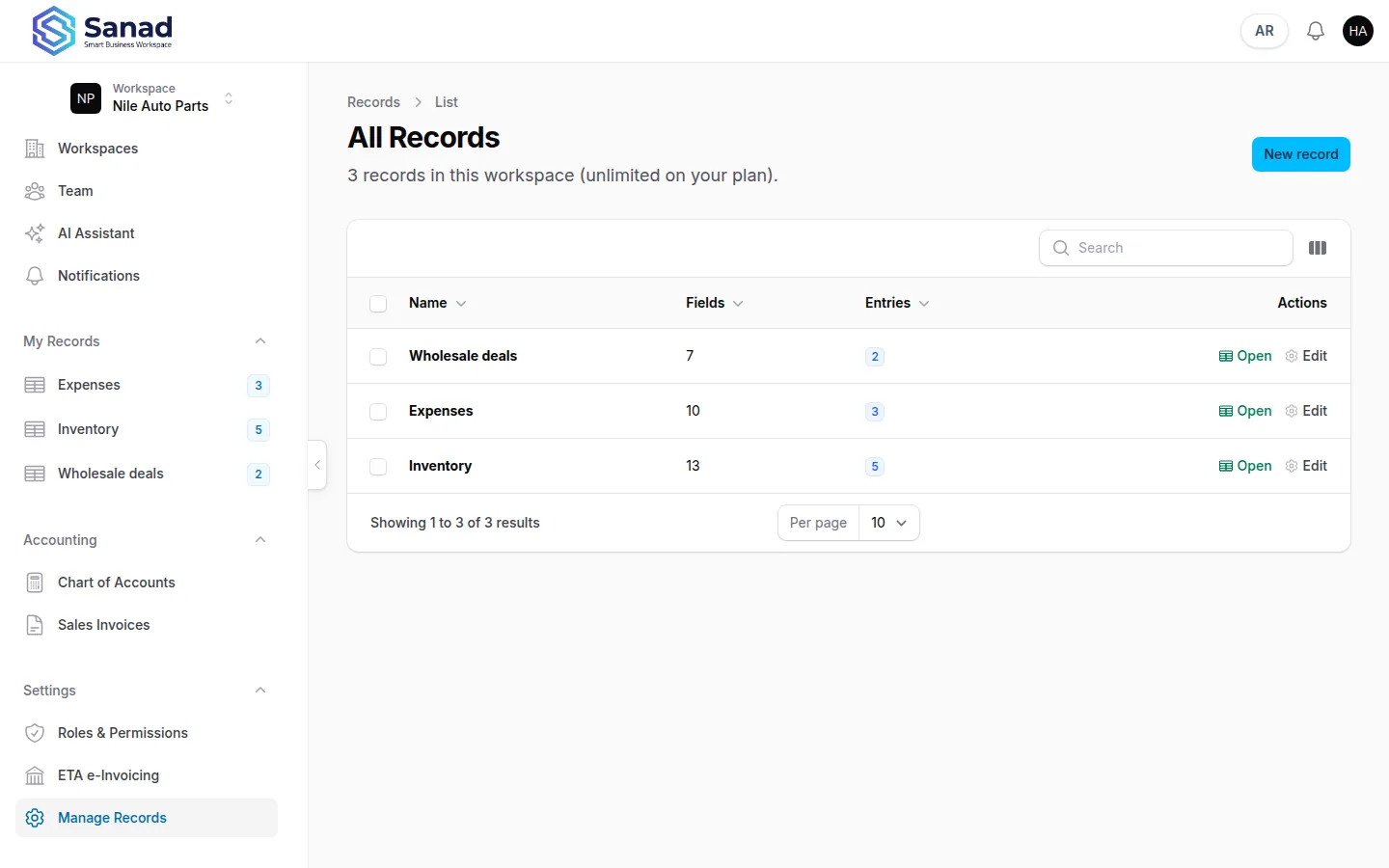
-
Step 2
Start from a template (optional)
On Create Record, use Start from a template and pick an Industry template, or Start blank — add your own fields. You can change anything before saving. Built-in presets include Clinic revenue, Expenses, Patients, Sales, Inventory, Properties, Projects, and Leave requests. The Sales template is a data list, not the Accounting sales invoice.
Screenshots show the English workspace UI.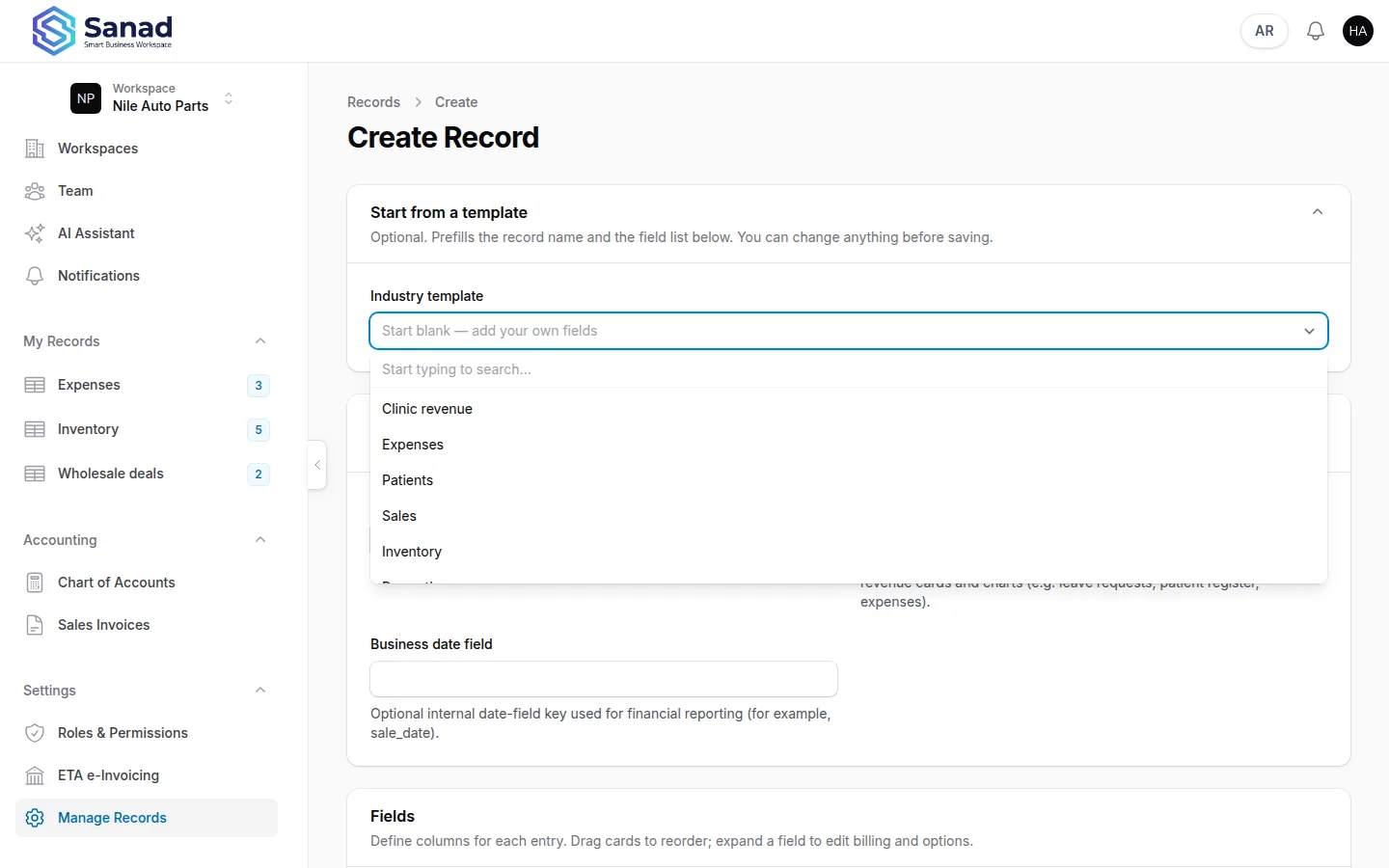
-
Step 3
Set name, dashboard, and date field
Give the list a Name. Turn Include in revenue dashboard on only if this list should appear on the home dashboard. Business date field is the optional date column that drives period filters.
Screenshots show the English workspace UI.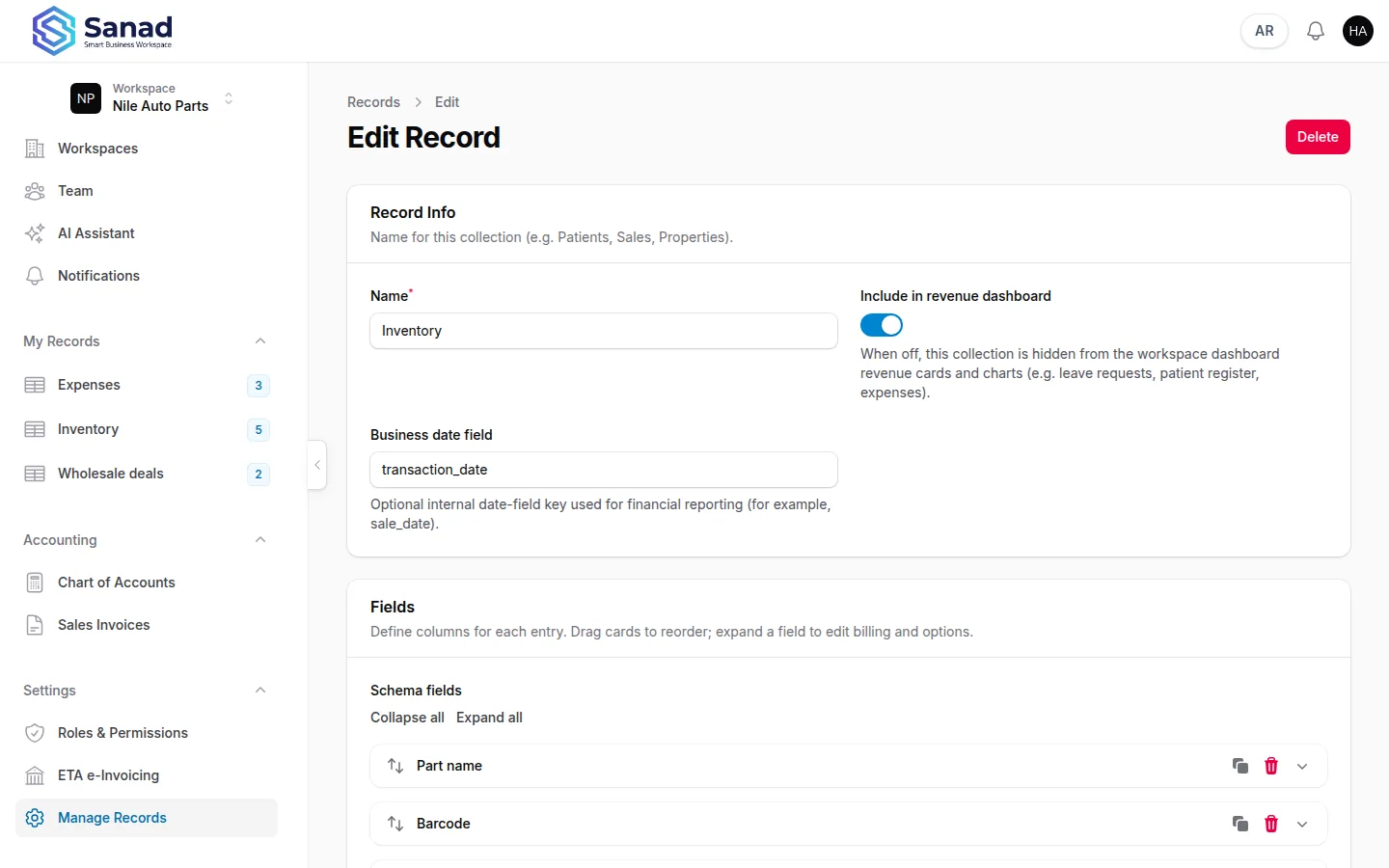
-
Step 4
Add fields
Under Fields, each column needs a Label, Name, and Type. Optional: required, billable + unit price, dropdown options, barcode format. Inventory role (item name, barcode, stock, sale price) is only for product lists — see Inventory records on invoices and ETA.
Screenshots show the English workspace UI.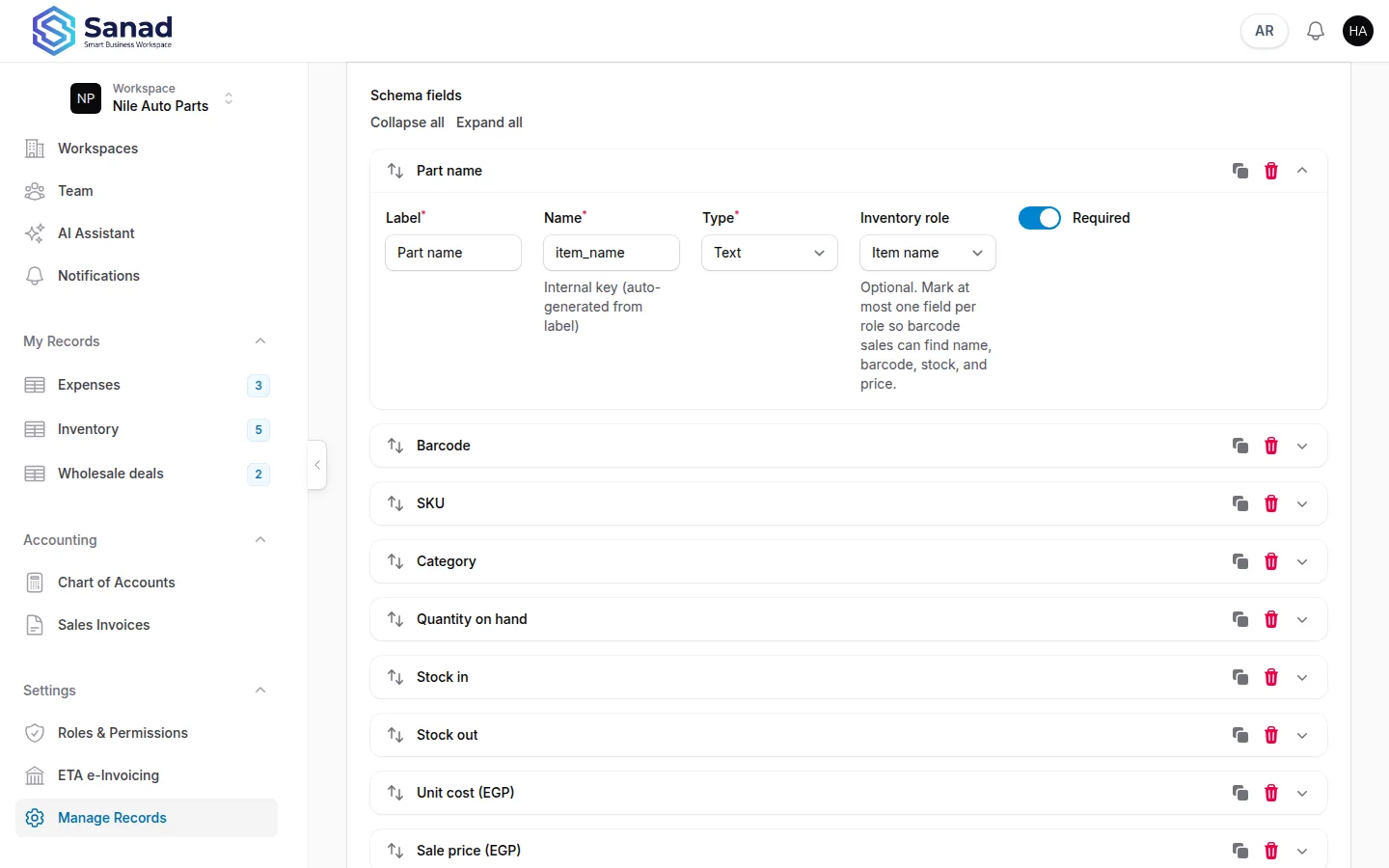
-
Step 5
Save, then enter data in Records
Save changes. The list appears on All Records and under Records. A list can appear on sales invoices only if all four inventory roles are set; that path is in the Inventory article. You cannot delete the list currently used as the inventory source until sales points at another list.
Screenshots show the English workspace UI.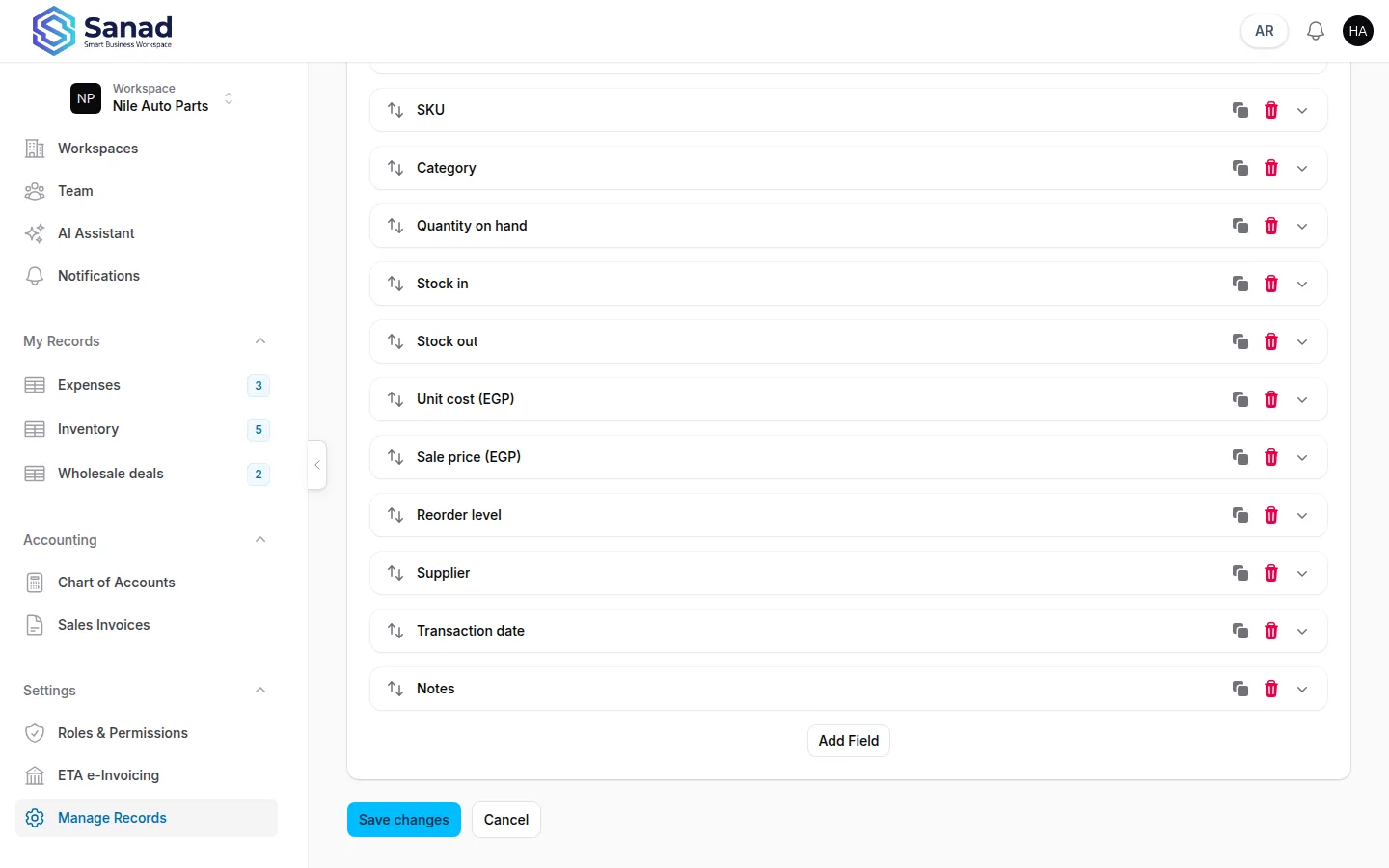
Related articles
Add and manage entries
Open a list under Records, add or edit rows, import Excel, filter the table, and download a barcode label when the list has a barcode field.
Inventory records on invoices and ETA
Turn a product list into invoice lines that print locally and submit to the Egyptian Tax Authority.
Home dashboard and revenue
See KPIs, charts, and plan usage on home for lists with Include in revenue dashboard turned on.